
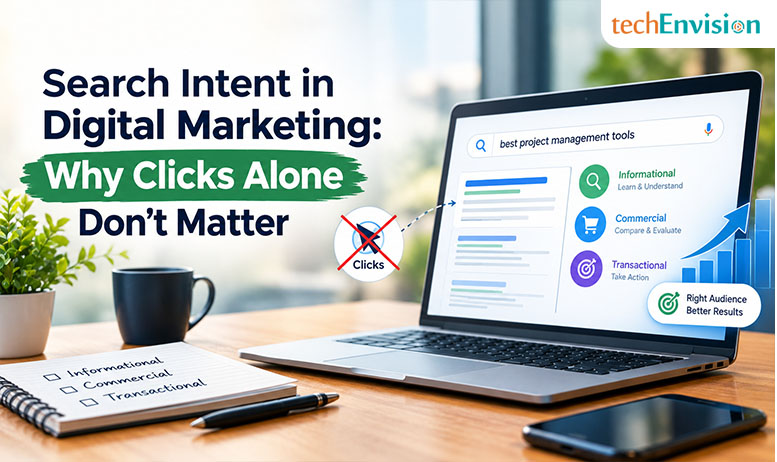
Search Intent in Digital Marketing: Why Clicks Alone Don’t Matter
Clicks look impressive in a report. But a click without intent is often just a visitor passing through.
Search intent in digital marketing means understanding why someone searched, what problem they’re trying to solve, and what action they expect to take next. Strong SEO, paid advertising, and content marketing don’t chase clicks blindly. They create clarity, answer the real question, and guide the user toward a sensible next step.
Quick Answer
Search intent is the reason behind a user’s search query. It can be informational, navigational, comercial, or transactional. Content performs better when it matches that reason. A page designed only to attract clicks may create traffic, but intent-focused content is more likely to earn trust, engagement, enquiries, and sales.
Introduction
A high click-through rate can hide a serious marketing problem.
You may attract thousands of visitors and still generate very few leads because the content answers the wrong question. Search intent in digital marketing helps solve that mismatch by connecting keywords, content, landing pages, and business goals.
At TechEnvision, we’ve spent more than 15 years helping businesses improve traffic, leads, and sales. After working with 1000+ happy clients, we’ve seen the same issue in every industry: brands track clicks because clicks are easy to report, while user intent requires deeper thinking.
This article explains how to understand search intent, identify what users actually want, create better content, and guide visitors toward the right next step without forcing a sale too early.
What Is Search Intent in Digital Marketing?
Search intent is the reason a person enters a query into a search engine. It describes the information, comparison, destination, or action they expect to find after searching.
For example, “what is SEO” shows learning intent, while “SEO agency in Kolhapur” suggests a service comparison or enquiry. The keyword matters, but the reason behind it matters more.
Clicks are a signal. Intent is the meaning behind that signal.
Why Search Intent Matters More Than Clicks
A click only tells you that someone opened a page.
It does not tell you:
-
Whether the page answered their question
-
Whether the visitor trusted the information
-
Whether the offer matched their need
-
Whether the landing page made sense
-
Whether the visitor was ready to enquire
-
Whether the content helped them move forward
A user searching for “how to improve website speed” is probably looking for guidance. Sending that person directly to a sales page may create friction. They might need a technical explanation first, followed by a website audit or development service later.
A user searching for “website development company near me” is further along. They may want examples, pricing guidance, service details, location information, and a clear way to contact the business.
Same industry. Different intent.
The page should change accordingly.
Google’s SEO Starter Guide says SEO is about helping search engines understand content and helping users decide whether a page is right for them. That is the centre of the issue. Search visibility is useful only when the page satisfies the person who arrives.
A click is not a conversion signal by itself. It becomes valuable only when the visitor finds the answer, proof, or next step they expected.
The Four Main Types of Search Intent
Most searches fit into four broad categories. Real queries can have mixed intent, so these categories are starting points rather than rigid boxes.
1. Informational Intent
The user wants to learn something, solve a problem, or understand a concept.
Examples:
-
What is digital marketing?
-
How does SEO work?
-
Why is my website traffic falling?
-
How to improve local search rankings
-
What is the difference between SEO and PPC?
The best content formats include:
-
Blog posts
-
How-to guides
-
Tutorials
-
Explainer videos
-
Glossaries
-
Checklists
-
Research articles
-
Frequently asked questions
Informational visitors are not always ready to buy. That doesn’t make them worthless. They may become future customers if your content is genuinely useful and your brand earns their trust.
2. Navigational Intent
The user wants to find a specific website, brand, page, login screen, or location.
Examples:
-
TechEnvision digital marketing
-
Google Search Console login
-
TechEnvision Kolhapur
-
Facebook Ads Manager
-
TechEnvision contact number
Navigational searches usually require a clear destination. Don’t make the user hunt through five pages to find the page they already wanted.
Your website should have:
-
A recognisable brand name
-
Clear page titles
-
Accurate business details
-
Consistent contact information
-
A visible location and map listing
-
Strong internal links
-
Easy navigation
This is where your Google Business Profile and TechEnvision’s Google Maps listing can support local discovery.
3. Commercial Investigation Intent
The user is comparing options but hasn’t made a final decision.
Examples:
-
Best digital marketing company in India
-
SEO agency vs doing SEO yourself
-
Website design company for small business
-
PPC agency pricing
-
Best social media marketing agency
These users need more than a generic service description. They want evidence.
Useful content includes:
-
Comparisons
-
Case studies
-
Reviews
-
Pricing explanations
-
Service breakdowns
-
Pros and cons
-
Process details
-
Industry-specific examples
-
Answers to objections
This is often where businesses lose potential customers. They publish a page saying “we provide quality services” and expect people to feel confident. Everyone says that. It proves nothing.
Show how you work. Explain who the service suits. State what affects cost. Talk about timelines honestly. Mention what your service cannot fix.
That’s more credible.
4. Transactional Intent
The user is ready to take action.
Examples:
-
Hire an SEO agency
-
Book a website consultation
-
Buy PPC services
-
Get a digital marketing quote
-
Contact a social media marketing agency
Transactional pages should make the next step obvious.
They usually need:
-
A clear offer
-
Strong service relevance
-
Trust signals
-
Contact options
-
Simple forms
-
Pricing guidance or a quote process
-
Relevant FAQs
-
Proof of experience
-
A focused call to action
Don’t bury the enquiry button below a 2,000-word autobiography about your company. Users have limited patience, and your homepage is not a memoir.
How to Identify User Intent Before Creating Content
Keyword tools can show search volume, competition, CPC, and related terms. They cannot always tell you what the user truly expects from the page.
You need to inspect the search results.
Step 1: Search the exact keyword
Open Google and search the phrase without assuming what the result should be.
Look at the first page.
Are the top results:
-
Blog articles?
-
Service pages?
-
Product pages?
-
Videos?
-
Local listings?
-
Comparison pages?
-
Forums?
-
Definitions?
-
Tools or calculators?
The result format gives you clues about intent.
If most top results are detailed guides, a short service page probably won’t compete. If most results are service pages, a purely educational blog may attract the wrong audience.
Step 2: Study the wording
Certain words often reveal intent.
Informational modifiers include:
-
What
-
Why
-
How
-
Guide
-
Tips
-
Examples
-
Meaning
-
Benefits
Commercial modifiers include:
-
Best
-
Top
-
Review
-
Comparison
-
Agency
-
Company
-
Services
-
Pricing
Transactional modifiers include:
-
Buy
-
Hire
-
Book
-
Contact
-
Quote
-
Near me
-
Cost
-
Consultation
These are useful clues, not absolute rules. A keyword such as “digital marketing services” may be commercial, transactional, or both depending on the search results and location.
Step 3: Review the SERP features
Search features also reveal what users expect.
For example:
-
Featured snippets often indicate an informational need.
-
Local packs suggest location-based intent.
-
Shopping results suggest product research or purchase intent.
-
Ads and service pages often indicate commercial or transactional intent.
-
People Also Ask questions reveal common concerns around the topic.
-
Video results suggest that demonstrations or visual explanations may help.
According to Google, search results are produced based on relevance, quality, location, language, device, and other signals. That means the same query can show different results for different users.
Step 4: Match the content type
Once you understand the dominant intent, choose the right page.
-
Informational intent needs a useful article or guide.
-
Navigational intent needs a clear destination page.
-
Commercial intent needs proof, comparisons, and service context.
-
Transactional intent needs an action-focused landing page.
Many SEO campaigns fail here. The keyword is correct, but the content type is wrong.
It’s like opening a restaurant and serving a dictionary to hungry customers. Technically relevant. Completely unhelpful.
How to Create Content Based on Search Intent
Start with the user’s problem
Before writing, complete this sentence:
“The person searching this phrase is probably trying to…”
For “how to improve Google rankings,” the answer might be:
“They want practical SEO steps and may not yet be ready to hire an agency.”
For “SEO company in Kolhapur,” the answer might be:
“They are comparing local providers and may be ready to request a consultation.”
That one sentence changes the article structure, tone, call to action, and internal links.
Answer the main question early
Don’t force users to read 900 words before finding the basic answer.
Use:
-
A short definition
-
A quick answer section
-
Direct subheadings
-
Concise explanations
-
Clear examples
-
Practical next steps
Google’s people-first content guidance encourages useful, reliable content created primarily for readers rather than search engines. That means clarity should come before keyword repetition.
Cover the next question too
Good content answers the immediate question and anticipates the next one.
If the user asks “what is SEO intent,” they may also want to know:
-
Why does search intent matter?
-
What are the different types?
-
How do I identify intent?
-
Which page type should I create?
-
How does intent affect conversions?
-
Can one keyword have multiple intents?
This is how a short answer becomes a useful resource without padding.
Real-World Use Cases
A local service company attracting better enquiries
A local business may rank for broad terms such as “digital marketing,” but receive traffic from students, job seekers, and people looking for free tutorials.
The solution is not always more traffic. It may be better intent targeting.
Create location-specific service pages, explain the service clearly, include local proof, and use calls to action that match the buyer’s stage.
An e-commerce store reducing wasted PPC spend
An online store might receive plenty of clicks for “running shoes,” but very few purchases.
Possible reasons include:
-
The keyword is too broad.
-
The ad promises something the product page doesn’t show.
-
Shipping costs appear too late.
-
The audience is researching rather than buying.
-
The landing page loads slowly.
-
The product range does not match the search.
The problem is not necessarily the ad platform. The funnel may be leaking between search and checkout.
A startup building topical authority
A startup can target informational queries that potential customers ask before they understand the product category.
A cybersecurity startup, for example, could publish content about common risks, compliance questions, security checklists, and buyer mistakes. Those articles can create awareness before the visitor is ready to request a demo.
The internal links should then guide readers toward relevant service or product pages without turning every article into a sales pitch.
A website recovering lost leads
We’ve audited websites where the content attracted the right visitors, but the page failed to convert them.
The issues were often simple:
-
No visible call to action
-
Too many competing buttons
-
Weak service explanation
-
Slow mobile page
-
No proof near the enquiry form
-
Contact form asking for unnecessary details
A website can earn the click and still lose the customer. That’s why website design and development must support the same intent as the campaign sending people there.
Challenges and Solutions
Challenge 1: Focusing on volume instead of relevance
High-volume keywords are tempting, but they may attract broad traffic with little business value.
A smaller keyword with strong commercial intent can be more useful than a large keyword that brings people who will never buy.
Solution: Evaluate search volume alongside intent, business value, competition, location, and conversion potential.
Challenge 2: Writing one page for every possible intent
Some businesses try to make one page answer everything. It becomes a blog, brochure, comparison guide, FAQ, pricing page, and contact page all at once.
The result is usually a confused page with no clear purpose.
Solution: Give each page a primary intent. Support other stages with internal links.
Challenge 3: Assuming the keyword tells the whole story
A keyword is only a compressed version of a user’s need.
“Website design” could mean:
-
Learning what website design includes
-
Comparing agencies
-
Looking for pricing
-
Finding a freelancer
-
Hiring a development company
-
Searching for design inspiration
Solution: Check the actual SERP, inspect the top-ranking pages, review the questions users ask, and look at what action the results encourage.
Challenge 4: Measuring clicks but not outcomes
Clicks, reach, and impressions are useful diagnostics. They are not the final business result.
Solution: Connect campaigns to measurable actions such as form submissions, calls, purchases, booked meetings, downloads, and qualified leads. Use analytics tracking and consistent campaign naming.
A Simple Search Intent Checklist
Before publishing any blog, ad, or landing page, ask:
-
Why did the user search this phrase?
-
What problem are they trying to solve?
-
What stage of the decision process are they in?
-
What content format appears in the current search results?
-
Does this page answer the main question quickly?
-
Does it address the likely follow-up question?
-
Is the call to action appropriate for the user’s stage?
-
Do the internal links guide the visitor naturally?
-
Is the landing page consistent with the original promise?
-
Can we measure what happens after the click?
If you cannot answer these questions, the content is not ready.
Conclusion
Search intent in digital marketing changes the way we think about traffic. The goal is not to collect clicks like trophies. The goal is to understand what users need, create content that gives them clarity, and guide them toward the right next step.
At TechEnvision, we connect SEO, paid advertising, social media, websites, and content into a wider growth system. With 15+ years of experience and 1000+ happy clients, we know that better results usually come from better alignment, not louder promotion. Start with the reason behind the search. The clicks will make more sense after that.
FAQs
What is search intent in digital marketing?
Search intent is the reason behind a user’s search query. It explains whether the person wants information, a specific website, product or service comparisons, or a direct action. Understanding this intent helps marketers create the right content format, page experience, internal links, and call to action.
Why is search intent important for SEO?
Search intent helps SEO content match what users expect to find. A blog post may suit an informational query, while a service page may suit a commercial or transactional query. When the page matches the user’s need, it is more likely to attract relevant traffic and support engagement.
What are the four types of search intent?
The four common types are informational, navigational, commercial investigation, and transactional. Informational users want to learn, navigational users want a specific destination, commercial users compare options, and transactional users are ready to complete an action such as requesting a quote or making a purchase.
How do I identify search intent for a keyword?
Search the keyword on Google and study the first-page results. Check whether the results are mostly blog posts, service pages, product pages, videos, local listings, or comparisons. Also review modifiers, SERP features, People Also Ask questions, and the action encouraged by the top-ranking pages.
Do clicks matter in digital marketing?
Clicks matter as a traffic signal, but they do not prove that a campaign is successful. A useful campaign also needs relevant visitors, engaged sessions, conversions, qualified leads, purchases, or other business outcomes. A high click count with poor intent can waste time and budget.