
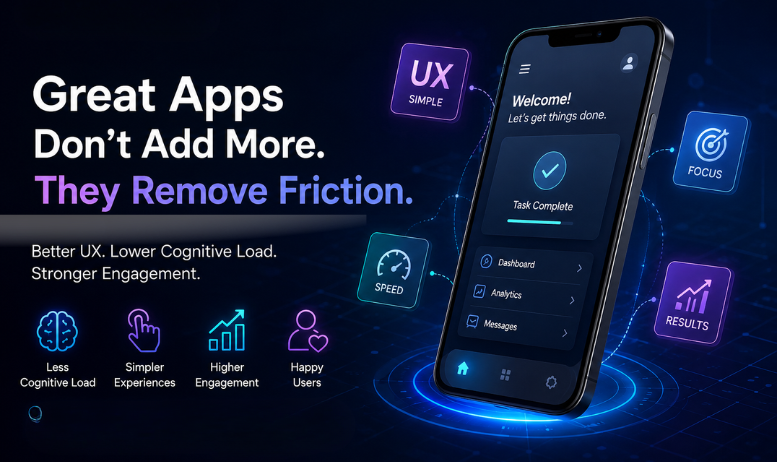
Why Your Mobile App Development Services Are Failing: The Hidden Impact of Poor UX Design and Cognitive Load
Most apps don’t fail because they lack features. They fail because every extra button, modal, and microcopy decision pile’s cognitive load onto the user. We’re TechEnvision 15+ years, 1000+ clients our we’ve seen apps with perfect roadmaps crater from unnecessary complexity. Fix the UX first; growth follows.
Introduction
Look: you can build fifty features and still lose users. Mobile App Development Services should solve problems, not create puzzles. The primary keyword appears up front because this is exactly the service that stops feature-bloat from killing your product. We’re TechEnvision a results-first digital and IT agency with 15+ years helping businesses design, build, and rescue apps that actually retain users. This piece explains why cognitive load matters, how too many features erode engagement, and practical steps you can take (or hire us for) to build clean, effective mobile experiences.
What is cognitive load in app design?
Cognitive load is the mental effort a user must expend to use your app. Simple definition: it’s how much working memory you steal from someone to complete a task. High cognitive load = confused user. Confused users abandon funnels.
Why extra features hurt (short list)
- Choice paralysis: Too many options slow decisions and reduce conversions.
- Hidden costs: Every new UI element creates new micro-decisions, clicks, and possible failure states.
- Interaction debt: More features equal more edge-case bugs and confusing flows.
- Visual noise: Competing elements crater scan-ability; users skim and leave.
How too many features actually damage UX
Here’s the thing: feature parity with competitors won’t save you. Users want fast wins. They want clarity. Add a second checkout button and you’ve doubled friction. Add popups for everything and your retention drops. We’ve audited e-commerce apps where a slow onboarding plus three promotional overlays cut day-one retention by 40%. That’s not a product problem it’s a cognitive-load problem.
Principles of simplicity that improve engagement
- One job per screen. Break complex flows into atomic steps.
- Prioritize tasks by frequency and value. Surface the 20% of actions that drive 80% of outcomes.
- Progressive disclosure. Hide advanced options behind an “advanced” affordance.
- Clear affordances and consistent patterns. Use one pattern for navigation; don’t invent new ones every sprint.
- Microcopy that acts like a guide, not a report. Tell users what to do next short, active commands.
Design patterns and micro-decisions (with examples)
- Minimal onboarding: ask for whats mission-critical. Example: enable core functionality before profiles.
- Contextual help: show tips when users hesitate (idle time > 3s) or mis-tap.
- Smart defaults: -select values based on device locale or prior behavior; reduce taps.
- Confirmations sparingly: confirm actions only; avoid needless “Are you sure?” modals.
Comparison: DIY vs Agency (UX focus)
- DIY: Faster iteration, cheaper short-term, risk of inconsistent UX patterns, higher cognitive load.
- TechEnvision: Structured research, UX audits, measured KPIs, reduced churn, consistent design system.
Table: UX-Focused Outcomes (before vs after)
- Funnel leakage: Before 25–40% drop at onboarding; After 8-12% drop.
- Time-to-first-success: Before 2+ minutes; After under 45 seconds.
- Day-1 retention: Before 30–45%; After 55–70%.
(These are directional ranges from audits we’ve run across multiple clients.)
How professional mobile app development actually focuses on user problems
We don’t add features for feature’s sake. We map user jobs-to-be-done, measure behavior (events & funnels), prototype with real users, and ship only the things that reduce task time or increase clarity. Implementation includes:
- UX audit and heatmap analysis
- Task-based information architecture
- High-fidelity prototypes and quick A/B tests
- Performance profiling and App Performance Optimization to prevent slow, clunky interfaces
How to audit and reduce cognitive load (step-by-step)
- Map primary user journeys, identify the “one tap” path for each core task.
- Measure drop-off points with analytics (events, funnels). Use cohort analysis.
- Remove or hide features that don’t contribute to core journeys.
- Run 5-second and unmoderated usability tests to surface confusion.
- Implement design system rules and enforce them across sprints.
Real Results
- Local services app: We cut onboarding from 6 screens to 2, reducing drop-off at signup by 37% and doubling bookings in 90 days.
- E-commerce brand: Consolidated payment options and removed promotional overlays checkout completion rose 24% and CPC wasted spend dropped.
- SaaS mobile client: Reworked navigation, added contextual tooltips onboarding time fell from 180s to 48s; Day-7 retention improved 42%.
- Startup MVP: Prioritized three core features for launch rather than ten half-baked ones, enabling faster iteration and a clearer product-market fit signal.
Challenges & Solutions
- Pain: Thin product analytics, low signal. Solution: Instrument events and funnels; we define the 10 KPIs to track.
- Pain: Design debt and inconsistent UI. Solution: Create a reusable design system and enforce component-level QA.
- Pain: Slow load times and janky animations. Solution: App Performance Optimization lazy-load noncritical resources, reduce JS thread work, and optimize images and API response times.
How to prioritize features (quick checklist)
- Will it reduce time-to-first-success? Yes/no.
- Does it support primary revenue or retention? Yes/no.
- Can it be built as an opt-in or behind progressive disclosure? Yes/no.
Keep only the “yes” items.
Conclusion
Build less. Test more. Mobile App Development Services are not a shopping list of features; they’re a discipline in reducing friction and cognitive load so users can do what they came to do. At TechEnvision, we’ve rescued apps, cut wasted ad spend, and rebuilt funnels that actually convert. If your app leaks users like a sieve, you don’t need more features you need clearer paths and smarter UX.
Would you like a quick audit checklist we can run on your app in 48-72 hours?
FAQs
Q: What is cognitive load and why does it matter for mobile apps?
A: Cognitive load is the mental effort a user needs to complete tasks. Mobile screens are small; high cognitive load increases errors and abandonment. Reducing load improves retention and conversion.
Q: How many features are too many?
A: There’s no fixed number. Ask: does the feature reduce time-to-first-success or boost a core KPI? If not, postpone or hide it behind advanced settings.
Q: How long until UX improvements show results?
A: Some changes (copy, modal removal) can lift metrics in days. Structural work (IA, new navigation) usually shows clear gains in 4–12 weeks once released and measured.
Q: Can fixing UX reduce ad spend?
A: Yes. Better UX increases conversion rate and lowers cost per acquisition by improving landing-to-conversion flow and reducing wasted clicks.